
01
Find it. Add it. Done.
Search by name, SKU or barcode. Scan with your camera and keep your items, totals and payment buttons together.
Built around your counter
The everyday tools for owner-operated retail, brought together on your Android phone or tablet.
Illustrative checkout with sample products
01 / Your register
Search, add products, adjust quantities and see your total on one screen. Hold up to five temporary tickets when another customer needs your attention.
Held tickets are temporary and clear if the app process ends. Completed sales are saved.
Search by name, SKU or barcode. Scan with your camera and keep your items, totals and payment buttons together.
Add products, record incoming stock and make stock adjustments with a reason. Spot products running low.
Add your shop details, logo and footer. Print compact 58mm or 80mm receipts with a compatible ESC/POS printer.
Review saved sales and date-range reports. See totals, discounts, tax and cash/card breakdowns.
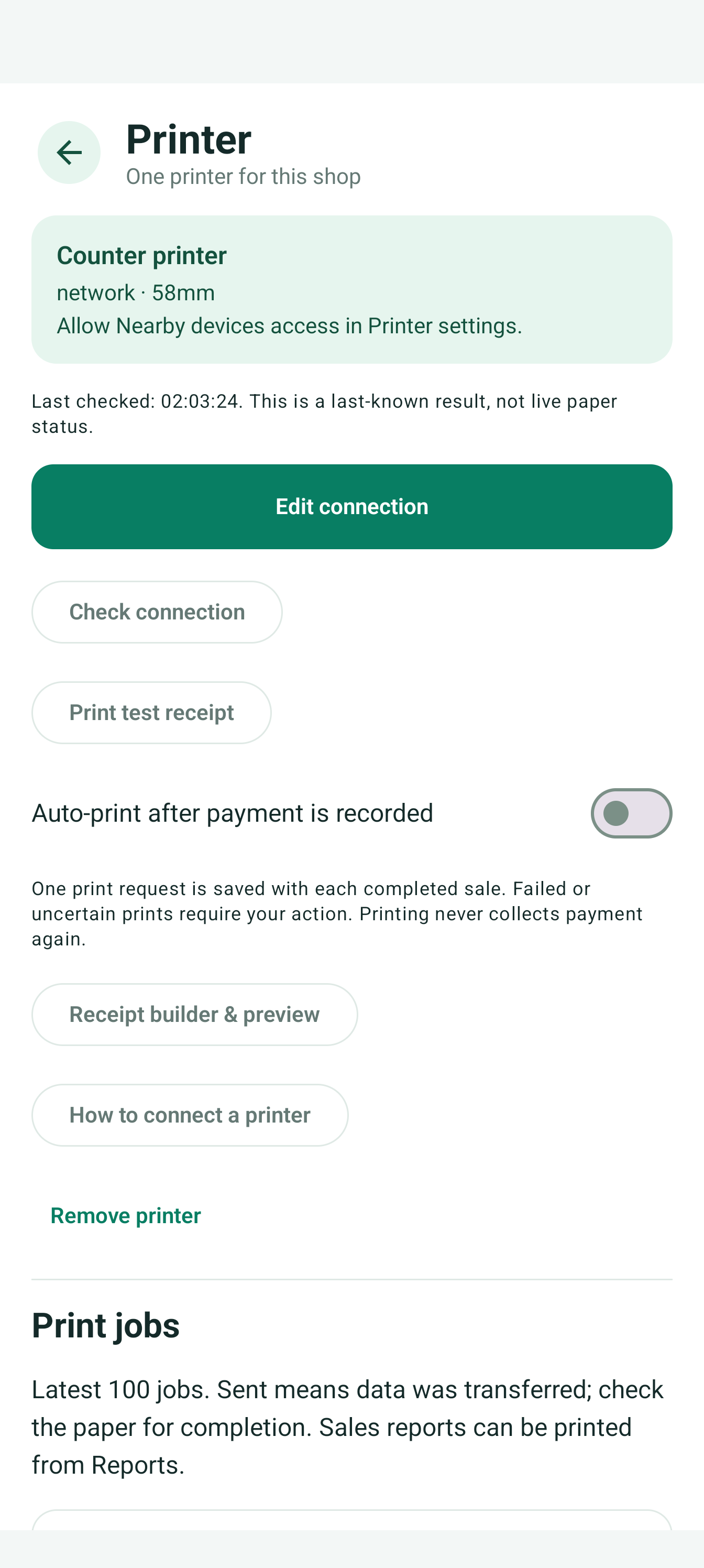
Development screen · Printer setup example
02 / The finishing touch
Make receipts your own with a header, footer and shop image. Keep item rows compact and print the amounts saved with the sale.
Set up one compatible ESC/POS printer. Print receipts and sales or inventory reports, or turn on auto-print after a payment is recorded.
Check printer requirementsFollow your device theme or choose the appearance that feels right at your counter.
Shop records live on your device. The first release does not include cloud backup or multi-device sync.
After an online Google Play purchase check, the app allows up to 7 days before reconnecting. This is a reconnect allowance, not a guaranteed subscription expiry date. Connect sooner if the app asks you to refresh access.
A little less admin. A little more shop.
More time with your customers.
Less time adding up the day.
For Android phones and tablets · Android 8.0+